IXL
- 4.0
- Rating
- 5.00M
- Installs
- Free
- Price

 Analysis by App-foxy
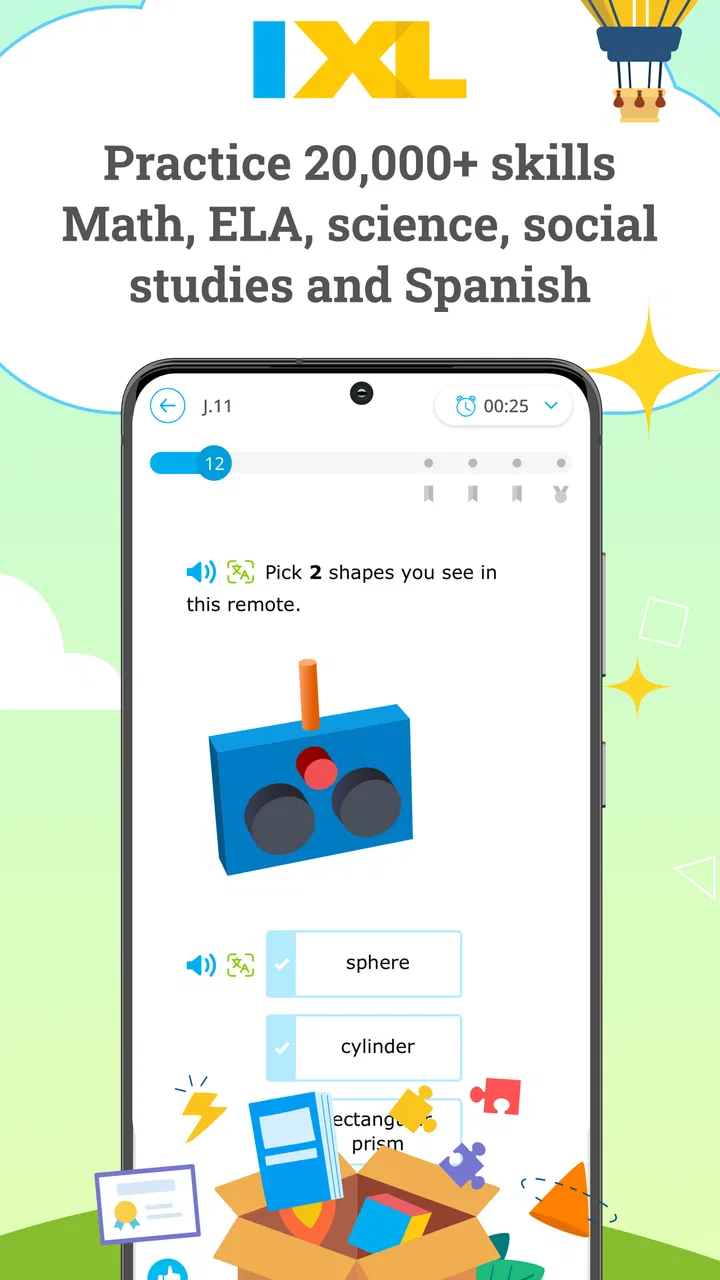
IXL is the kind of education app I would reach for when a learner needs regular practice rather than another long explanation. I found its strongest idea in the way it turns school subjects into focused, personalized exercises, so a student can work on a narrow skill instead of wandering through a large lesson library. It is available as a free app for everyone, developed by IXL Learning, and its purpose is clear: support learning across subjects and grade levels from kindergarten through high school.
My overall impression is positive, but with an important qualification. This is not a replacement for a teacher, a complete course, or patient help from an adult. It works best as a structured practice companion. When a learner already has some understanding and needs repetition, correction, and a clear next task, IXL feels useful. When the learner is completely lost, tired of drills, or working somewhere with unreliable internet, the experience becomes less comfortable.
How IXL feels when the connection is part of the lesson
The app’s personalized approach makes the network more than a background detail. A typical session involves opening the app, choosing a subject or skill, and moving through questions that respond to the learner’s answers. That means the experience depends on the app being able to load the right material and record progress at the appropriate moments. I would not treat it like a paper workbook that can simply be opened anywhere and used without thinking about connectivity.
You May Also Like

 Blood Strike: 2.5 Anniversary
Blood Strike’s Loadouts Turn Every Drop Into a Tactical Gamble
A close look at Blood Strike’s custom loadouts: how fast access to signature weapons reshapes its battle royale rhythm, rewards preparation, and narrows the gap between fights.

 Pandora - Music & Podcasts
Pandora’s Music Is Easy to Start, but Harder to Recover
Pandora’s strength is its low-effort path from a seed to a station. Its weak spot is how much confidence it asks you to place in connection, setup, and quiet recovery.

 8 Ball Pool
 Is Built on Rivalries, Rematches, and Routine
A close look at the rivalries, rematches, shared routines, and unanswered safety questions that turn a quick pool match into a persistent mobile community.

 Samsung Music
’s Quiet Strength Is Playing What You Already Own
Its reach comes less from spectacle than from dependable access to a personal library. That simplicity is both the app’s strongest retention engine and its ceiling.

 AccuWeather: Weather Radar
AccuWeather Review: A Quick, Clear Forecast for Everyday Decisions
For everyday plans, the best forecast is the one you can understand quickly. AccuWeather makes rain timing, radar, and local conditions easy to act on, with a few trade-offs.

 Hill Climb Racing
Why Hill Climb Racing Still Turns Crashes Into One More Run
A tiny car, a bumpy hill and one more upgrade: Hill Climb Racing keeps resurfacing because its simple chaos makes every near-miss feel personal.
More From Our News Desk



In a quiet home setting with a dependable connection, that arrangement is easy to live with. I can imagine a student finishing schoolwork, opening a selected skill, and working through a short practice session while a parent handles something else nearby. The immediate response helps keep the session moving. Instead of waiting until the end to discover several mistakes, the learner gets a chance to notice patterns while the topic is still fresh.
The same design can feel different during a weak connection. A page that takes longer to load, a delayed response after submitting an answer, or uncertainty about whether progress has been recorded can interrupt concentration. For a child, even a brief pause may feel like the app has stopped working. I would avoid starting an important practice session just before leaving a stable network or while moving between locations.
That is one of the less obvious trade-offs here: personalization is valuable because the app keeps track of what the learner is doing, but a connected experience also creates more points where interruptions matter. A static worksheet is less adaptive, yet it remains predictable when the signal disappears. IXL offers more guidance than paper, but it asks for a more dependable technical environment.
The app has a 4.3 average from around 41 thousand ratings, which suggests that many users find the general experience worthwhile while still leaving room for mixed experiences. I would read that figure as encouragement to try it, not as proof that every subject, device, or learning situation will feel equally smooth.
A realistic after-school routine
Consider a student who has struggled with one mathematics skill during class. After getting home, the student opens IXL, selects the relevant practice area, and works for a limited period rather than attempting an entire subject. The useful part is not simply answering questions. It is using the session to identify whether mistakes come from a particular rule, a careless step, or a lack of confidence.
For that routine, I recommend choosing one clear goal before opening the app. “I will practise this skill until I can explain the method” is better than “I will use IXL for a while.” If the connection becomes unstable, the learner can stop rather than repeatedly submitting answers and becoming frustrated. Once the app is available again, the session can continue with a calmer plan.
Parents can also make the experience more productive by asking what the learner noticed, not only how many questions were answered. A high number of completed questions does not automatically mean strong understanding. The most useful conversation may be about one recurring error and the reasoning behind it.
Using it on phones and tablets
IXL is a sensible fit for short mobile sessions because practice questions are easier to approach in small pieces than a full digital textbook. I like the idea of using it during a brief waiting period, at a kitchen table, or in another place where a learner has a few uninterrupted minutes. The app’s education focus makes those small sessions more purposeful than casual scrolling.
Still, mobile convenience has limits. A small screen can make detailed work less comfortable, especially for learners who need to write out multi-step calculations or compare several pieces of information at once. A tablet or larger screen may be preferable for longer sessions, while a phone is better suited to targeted review. I would not choose the phone as the only learning tool for every subject.
Touch input can also change the rhythm of practice. On a mobile device, a learner may rush through taps, select an answer accidentally, or find it awkward to enter a response that would be simple on paper. This is not a flaw unique to IXL, but it matters because repeated practice depends on the learner feeling that each answer reflects their thinking rather than their struggle with the interface.
My practical advice is to keep mobile sessions short and deliberate. Use the phone for one skill, review the feedback, and pause when attention drops. If the learner needs to show working, explain a process, or discuss a difficult idea, move the conversation away from the screen instead of expecting the app to do all of that.
The app is rated for Everyone, which makes it approachable for families with children of different ages. That label does not mean every activity will suit every learner equally. Younger children may need help reading instructions or staying focused, while older students may need a more advanced explanation than practice questions alone can provide.
What happens when something goes wrong
Connectivity problems are most frustrating when they arrive after a learner has invested effort. If an answer seems not to submit or progress is unclear, the worst response is to keep tapping repeatedly. I would first wait briefly, check whether the connection has returned, and then reopen the relevant area only if necessary. Keeping a simple note of the skill being practised can reduce the stress of reconstructing the session.
Families should also establish a fallback routine. If the app cannot load, the learner can write down the topic, attempt a few examples on paper, and return to IXL later to check the same skill. This approach prevents the connection from becoming the entire lesson. It also reveals whether the app is being used as a learning aid or as the only structure holding the study session together.
That distinction matters because IXL is strongest when it sits inside a broader routine. A teacher’s explanation, a notebook, a conversation with a parent, and a quiet review period can all do things that an interactive practice app cannot. If a learner repeatedly misses the same type of question, switching activities or seeking an explanation may be more useful than continuing to submit answers.
I also prefer to end a session intentionally rather than closing the app in a hurry. Before leaving, the learner can note the skill, the main difficulty, and the next action. This habit is especially helpful when the connection has been inconsistent, because it gives the next session a clear starting point even if the previous one did not feel perfectly finished.
Keeping mobile data use sensible
Because the app is designed around interactive learning, I would use it thoughtfully on a mobile data plan. I cannot assume that every session will behave exactly like a downloaded worksheet, so I would normally practise over a trusted Wi-Fi connection when possible. That is particularly sensible for families managing limited data or for students who expect to work for a long period.
A good routine is to open the app before leaving home, confirm that the intended subject and skill are available, and avoid beginning a long session while travelling. This is less about treating IXL as fragile and more about protecting concentration. A learner should not have to wonder whether a delayed screen is caused by the app, the device, or the network while trying to understand a new topic.
Short mobile reviews may still be practical when Wi-Fi is unavailable, but I would keep expectations modest. Use the time for a focused check rather than an extended study block. If the connection feels unreliable, switch to handwritten practice and return to the app later. That simple choice often produces a better learning result than forcing technology into an unsuitable moment.
There is another useful trade-off here. A connected app can provide a more responsive path through practice than printed material, but paper remains a valuable backup because it has no loading screen, account session, or signal requirement. I would keep a notebook nearby, not because IXL is ineffective, but because writing down reasoning makes the learning more durable and gives the student something to return to when technology is inconvenient.
Who will benefit most from the app
IXL suits learners who respond well to clear goals, repeated practice, and immediate correction. It can be especially helpful when a student knows that a skill needs work but does not know how to organize the practice. The broad K-12 scope also makes it practical for families with children at different school stages, since the same app can support several kinds of academic work.
It is also useful for a parent who wants a more concrete starting point for a study conversation. Rather than asking a vague question such as “How is math going?”, the parent can ask which skill felt difficult and what kind of mistake appeared. The app does not remove the need for support, but it can make that support more specific.
I would be more cautious about recommending it as the main tool for a learner who needs rich visual demonstrations, extended reading, creative projects, or a teacher-led explanation before attempting practice. Those learners may benefit more from a video lesson, a live tutor, a textbook, or a classroom resource that gives the concept more room before testing it.
Students who dislike repetitive work may also lose interest. Personalization can make practice more relevant, but it does not turn every exercise into a game or a conversation. If motivation is the central problem, the family may need to combine IXL with a reward structure, shared study time, or another learning format.
How it compares with familiar alternatives
Compared with printed worksheets, IXL offers a more responsive practice flow and can make it easier to focus on a particular skill. Worksheets remain better for free-form working, annotation, and uninterrupted use when there is no connection. I would use the app to guide practice and paper to show reasoning, especially for mathematics.
Compared with broad video-learning platforms, IXL is more direct. A video can explain an idea in a memorable way, but it may take longer to find the exact point where a learner is struggling. IXL is better when the learner already needs to practise a defined skill. A video or teacher is better when the learner needs the concept introduced from the beginning.
Compared with a full online course, the app feels lighter and more focused. It is convenient for targeted review, but a complete course usually offers a larger sequence of explanations, projects, and assessments. I would not mistake a strong practice tool for a complete curriculum.
The free price makes trying it less intimidating, and the app has passed five million installs, so it is clearly familiar to a large mobile audience. Even so, I would judge it by the learner’s routine rather than popularity. The right question is whether its practice format fits the student’s attention span, subject needs, and available connection.
Small habits that improve the experience
My first tip is to choose a skill before opening the app. Browsing without a goal can turn a focused tool into another source of distraction. My second is to keep a mistake notebook with three columns: the question type, the error, and the corrected reasoning. That record is more valuable than simply chasing a longer practice streak.
My third tip is to stop when the learner begins guessing. Guessing may produce activity, but it does not produce useful evidence about understanding. At that point, write down the confusing step, ask for an explanation, or switch to an example on paper. Returning later with a clearer mind is usually more productive.
A fourth useful habit is to compare app performance with real-world explanation. After a session, ask the learner to explain one answer aloud without looking at the screen. If the explanation is clear, the practice has probably supported understanding. If the learner can only recognize the correct option inside the app, more teaching is needed.
These habits also make connectivity easier to manage. A session has a purpose, a backup, and a stopping point. If the network fails, the learning does not disappear; it simply moves temporarily to the notebook or conversation.
My connectivity verdict
After considering how the app fits into everyday use, I see IXL as a strong connected practice companion rather than a self-contained school replacement. Its personalized structure is most valuable when the learner has a stable connection, a defined skill to work on, and enough support to interpret mistakes. It is less convincing when used during unreliable travel, on a small screen for long periods, or as the only answer to a difficult concept.
I would recommend trying it for a learner who needs organized K-12 practice and benefits from immediate responses. I would pair it with a notebook, teacher guidance, or another explanation-based resource. That combination respects what the app does well without asking it to solve every learning problem.
For families, the deciding factor is not simply whether the app is free or widely used. It is whether the household can give it a calm, connected place in the routine. When that condition is met, IXL can turn a vague “I need more practice” into a specific, manageable study task. When it is not, a printed exercise, a conversation, or a downloaded resource may be the wiser choice for that particular moment.
My final view is that IXL earns its place on an education-focused device because it makes targeted practice easier to organize. I would use it in short sessions, protect those sessions from network interruptions where possible, and treat every incorrect answer as a prompt for understanding rather than a score to chase. Used that way, it is practical, focused, and genuinely helpful—provided the learner has the human and technical support that personalized practice still needs.
FAQs for IXL
01What is IXL and how does it work?
IXL is an educational app designed to provide personalized learning experiences across various subjects like math, language arts, science, and social studies. It works by adapting to users' skill levels, offering practice questions tailored to their current understanding. The app tracks progress and provides feedback to help improve skills over time.
02Is IXL suitable for all age groups?
Yes, IXL caters to a wide range of age groups, from preschool through high school. The app offers age-appropriate content and exercises, ensuring that learners of all levels can benefit from its extensive library of interactive activities and personalized recommendations.
03Does IXL offer a free version?
IXL offers a limited free version that allows users to explore a selection of questions across various subjects. However, to access the full suite of features, including comprehensive practice questions and detailed progress tracking, a subscription is required. Subscription plans are available for families, classrooms, and schools.
04How does IXL support parents and teachers?
IXL provides robust support for parents and teachers through detailed analytics and reports. These features allow them to monitor a student's progress, identify areas for improvement, and tailor learning plans. Additionally, the app offers resources and recommendations to help guide instruction and enhance the learning experience.
05Is an internet connection required to use IXL?
Yes, an internet connection is necessary to access IXL's features, as the app continuously updates progress, adapts questions, and provides real-time feedback. Users need to be online to fully utilize its interactive and personalized learning tools. However, offline alternatives like printable worksheets are available for certain exercises.
Pros
- Comprehensive subject coverage.
- Interactive and engaging exercises.
- Personalized learning paths.
- Detailed progress tracking.
- Accessible on multiple devices.
Cons
- Requires a subscription.
- Limited offline access.
- Can be repetitive for some users.
- May overwhelm younger children.
- Not all features are intuitive.

IXL
Gallery